
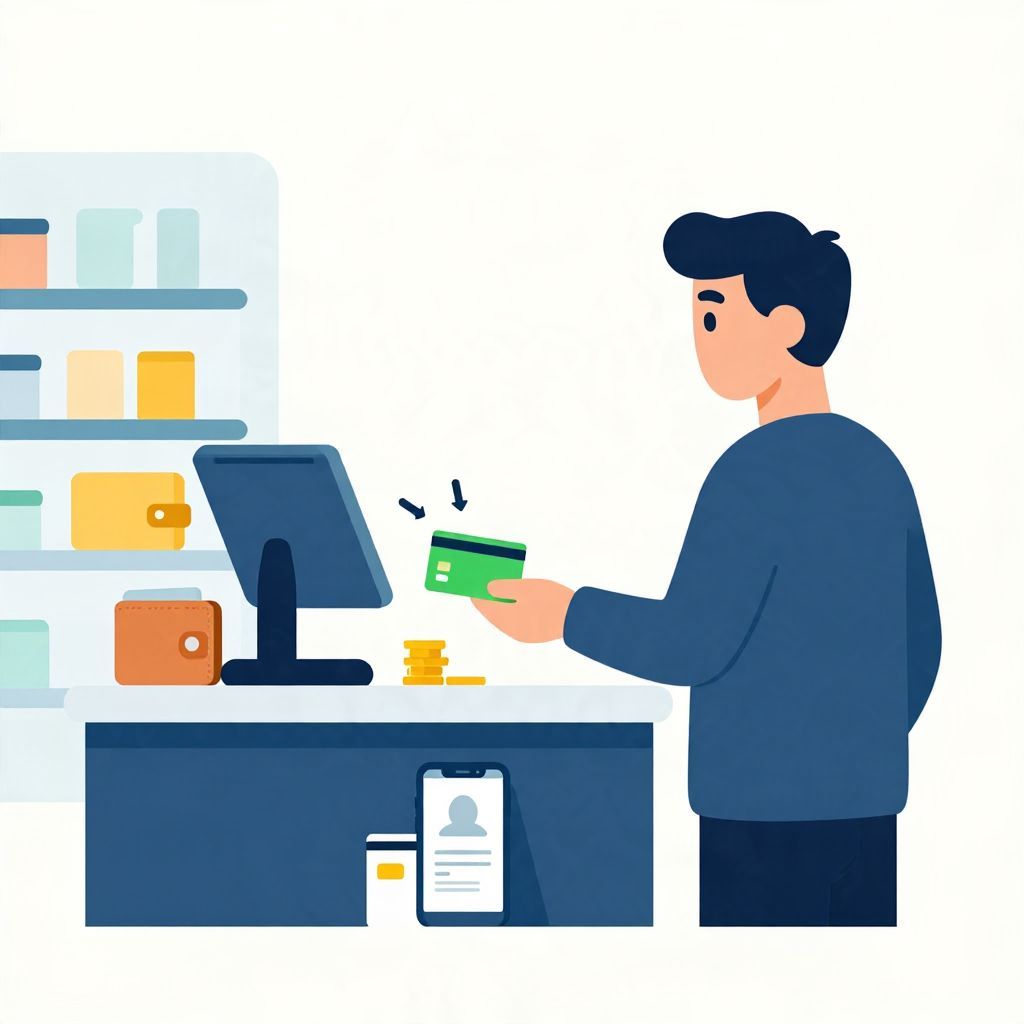
If you’re trying to figure out where to load Cash App Card, the short answer is that you generally add cash to your Cash App balance through supported cash deposit partners or by transferring money into Cash App from a linked bank account. You usually cannot “reload” the card at just any store or ATM unless that location or machine is specifically supported.
Because Cash App features can vary by region and account type, it’s important to check the app for the exact deposit options available to you before you head out with cash.
Where To Load Cash App Card?
You can usually load a Cash App Card by adding cash to your Cash App balance at a supported retail location, or by transferring money into your Cash App account from a bank account, debit card, or direct deposit source. The exact methods available depend on your location, account status, and whether Cash App supports cash deposits in your area.
How Cash App Card loading usually works
The Cash App Card is linked to your Cash App balance, so “loading” the card normally means adding money to the account behind the card. In practice, that can happen in a few different ways:
- Cash deposit at a supported retailer if your account and region allow it.
- Bank transfer from a linked checking account.
- Debit card transfer from an eligible linked card, if supported.
- Direct deposit from payroll or benefits, if you set it up.
Once the money reaches your Cash App balance, you can use the Cash App Card for purchases wherever it is accepted.
Important distinction: card vs. account balance
The Cash App Card is not usually a separate prepaid card you manually “top up” at will. Instead, it draws from your Cash App balance. That means the key question is not only where to load the card, but also how to get money into Cash App in the first place.
Can you load Cash App Card with cash in person?
Yes, in some cases you can add cash to Cash App in person at a supported retail location. Availability depends on Cash App’s current deposit network and your account eligibility. You should check the app for instructions, because the store, minimums, maximums, and any fees can vary.
What to expect at a retail location
If cash deposits are available to your account, the process is usually straightforward:
- Open Cash App and look for the cash deposit or add cash option.
- Follow the in-app instructions to generate the deposit details or barcode.
- Go to the supported store shown in the app.
- Give the cashier the cash and follow the app’s instructions to complete the deposit.
- Wait for the funds to appear in your Cash App balance.
Do not assume every convenience store, pharmacy, or grocery store supports Cash App cash deposits. Only use the locations shown inside the app or officially supported by the service.
Possible costs and limits
Cash deposits can involve fees, limits, or timing delays depending on the provider and the rules tied to your account. Because these terms can change, it is safer to verify them inside the app before you deposit money. If you are trying to move a large amount, check whether daily or weekly limits apply.
Can you load Cash App Card at an ATM?
Usually, you cannot simply walk up to any ATM and load cash onto a Cash App Card. ATMs are generally used for cash withdrawals, not cash deposits into Cash App. Some machines may accept deposits for certain bank accounts, but that does not mean they support Cash App deposits.
Why ATM deposits are different
An ATM deposit normally goes to a bank account tied to that bank or network. Cash App is a financial app, so deposit support depends on whether the service has a specific arrangement for cash loading. If the app does not instruct you to use an ATM for cash deposits, do not assume it will work.
If you are looking for ways to put cash into a digital wallet or app-based account, a supported retail cash deposit location is usually more relevant than an ATM.
Other ways to add money to Cash App
If you do not want to use cash, there are several common ways to fund your Cash App balance. These methods may be easier, faster, or cheaper depending on your situation.
1. Link a bank account
Connecting a checking account is one of the most common ways to move money into Cash App. You can usually transfer funds from your bank into your Cash App balance through the app. Transfer times may be instant or delayed depending on the transfer method and the banks involved.
2. Use a debit card
Some users can add money using a linked debit card. This can be convenient if you want to move funds without waiting for a bank transfer, though availability and limits may apply.
3. Set up direct deposit
If your employer or benefits provider supports direct deposit, you may be able to send part or all of your paycheck into Cash App. This is often useful for budgeting because money arrives automatically and can be used with the Cash App Card right away once posted.
Step-by-step: How to check where you can load Cash App Card
The safest way to find out where to load Cash App Card is to check the app itself. That avoids guesswork and helps you confirm current availability in your area.
- Open Cash App on your phone.
- Go to the banking or balance section.
- Look for an option to add cash or deposit cash.
- Review the instructions, including any supported locations.
- Check for fees, limits, and processing times before you deposit.
If you do not see a cash deposit option, your account or region may not support it. In that case, a bank transfer or direct deposit may be the better route.
What to watch for before loading cash
Before you add money to Cash App, it helps to understand the practical trade-offs. A quick deposit may be convenient, but convenience can come with fees or limits.
Fees
Some cash deposit methods may charge a fee. If you are depositing a small amount, a fee can take a meaningful share of the money you add. For example, a $2 fee on a $20 deposit is 10% of the deposit amount. Always compare the fee to the amount you plan to load.
Limits
Cash App and its partners may impose minimum and maximum deposit limits. These limits can affect how much you can add at one time or over a given period. If you need to load a larger amount, you may need to split the deposit or use another funding method.
Timing
Not all deposits are immediate. Some may post quickly, while others can take longer depending on the method used. If you need money available for a purchase, check the expected processing time before relying on the balance.
Security
Only use official in-app instructions and trusted locations. Avoid sharing account details with anyone who claims they can “load” your card for you outside the app. Scams often target people who want quick cash access.
Example: choosing the best way to fund your Cash App balance
Suppose you want to spend $50 using your Cash App Card. You have three possible options:
- Cash deposit at a supported store: convenient if you already have cash, but may involve a fee.
- Bank transfer: often low-cost, but may take time to clear.
- Direct deposit: automatic and useful for regular income, but requires setup.
The best choice depends on whether speed, cost, or convenience matters most. If you need funds today, a supported cash deposit or instant transfer may be more useful than a standard bank transfer. If you are planning ahead, a bank transfer or direct deposit may be simpler and cheaper.
Common mistakes people make
When searching for where to load Cash App Card, people often make a few avoidable mistakes:
- Assuming any store can accept a Cash App cash deposit.
- Trying to use an ATM as if it were a universal cash-loading machine.
- Not checking fees or limits before depositing money.
- Confusing the Cash App Card with a separate prepaid card balance.
- Using unofficial instructions instead of the app’s current guidance.
Taking a minute to verify the method can save time and prevent failed deposits.
Bottom line
If you want to know where to load Cash App Card, the most reliable answer is: use the cash deposit options shown inside the app, or add money through a linked bank account, debit card, or direct deposit. ATMs usually are not a general solution for loading Cash App. For more help, you may also want to read how to add cash to Cash App Card and can I deposit cash at any ATM?.